Qenna Writer
Qenna — each letter of the name drawn as a different world: fantasy, thriller, science fiction, romance and horror

The whole book in one place.

Download for Windows

v0.17.2 · Windows 10/11 · ~167 MB · free, no subscription

Look first · Read the source

What is Qenna Writer?

A program for writing long fiction — novels and screenplays — from the first draft through the revision. Chapters, scenes, characters, worldbuilding and timeline in the same place, instead of scattered across four different programs.

A thriller with details that can't be forgotten? A twelve-book fantasy saga? A space opera with a tightly wound political plot?

Whichever one is yours. Qenna handles it — and handles it well.

See for yourself

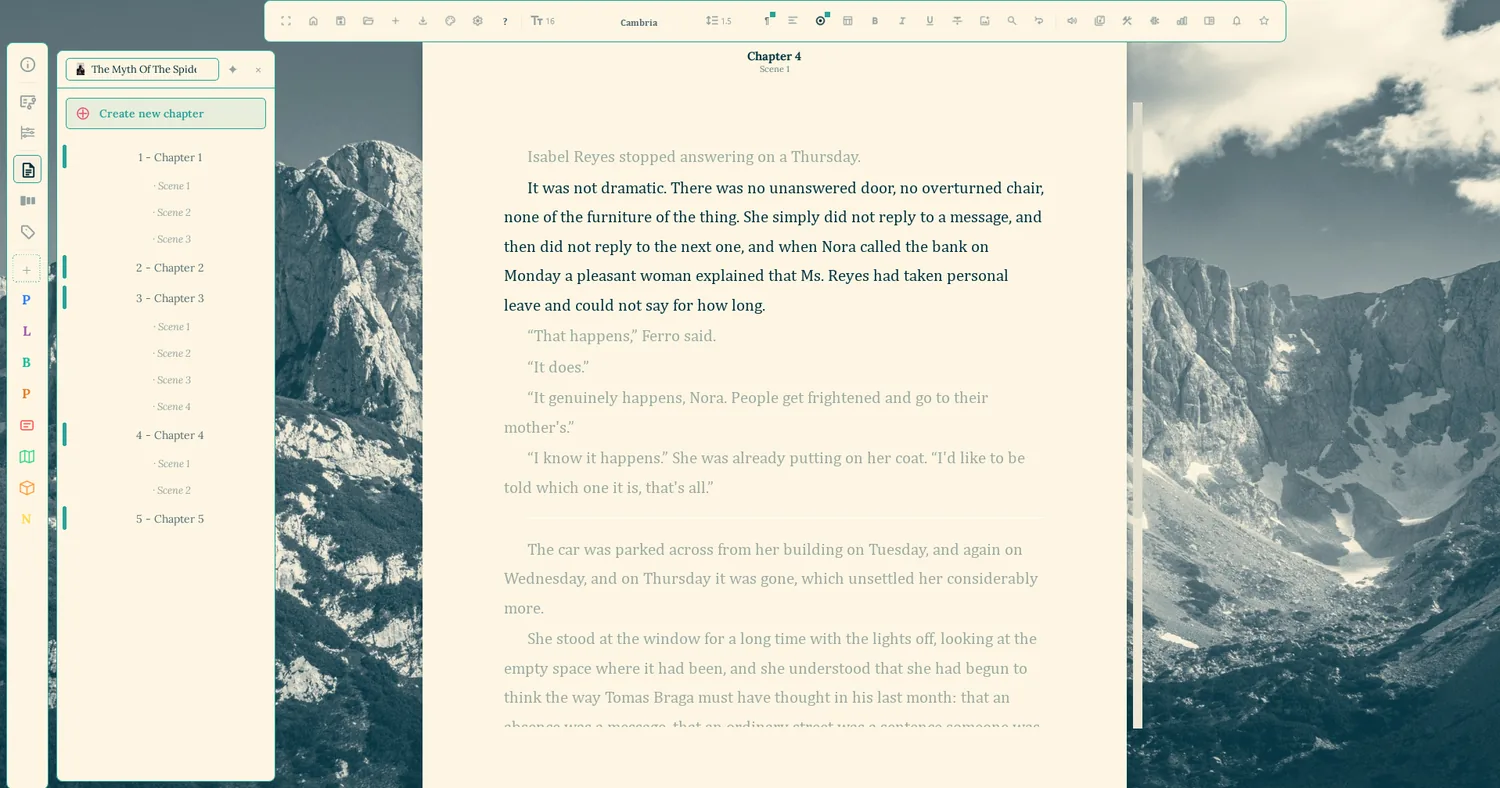
Qenna Writer open on a chapter, with the chapter list and its nested scenes on the left and the manuscript page in the middle

Solarized Highlands

I  The editorQenna Writer

A chapter three books ago is one click away

The Reference panel opens beside the page: any chapter, scene or sheet held open next to what you're writing, without switching windows and without losing the thread. Chapters split into scenes, and the scenes show up in the sidebar as sub-items.
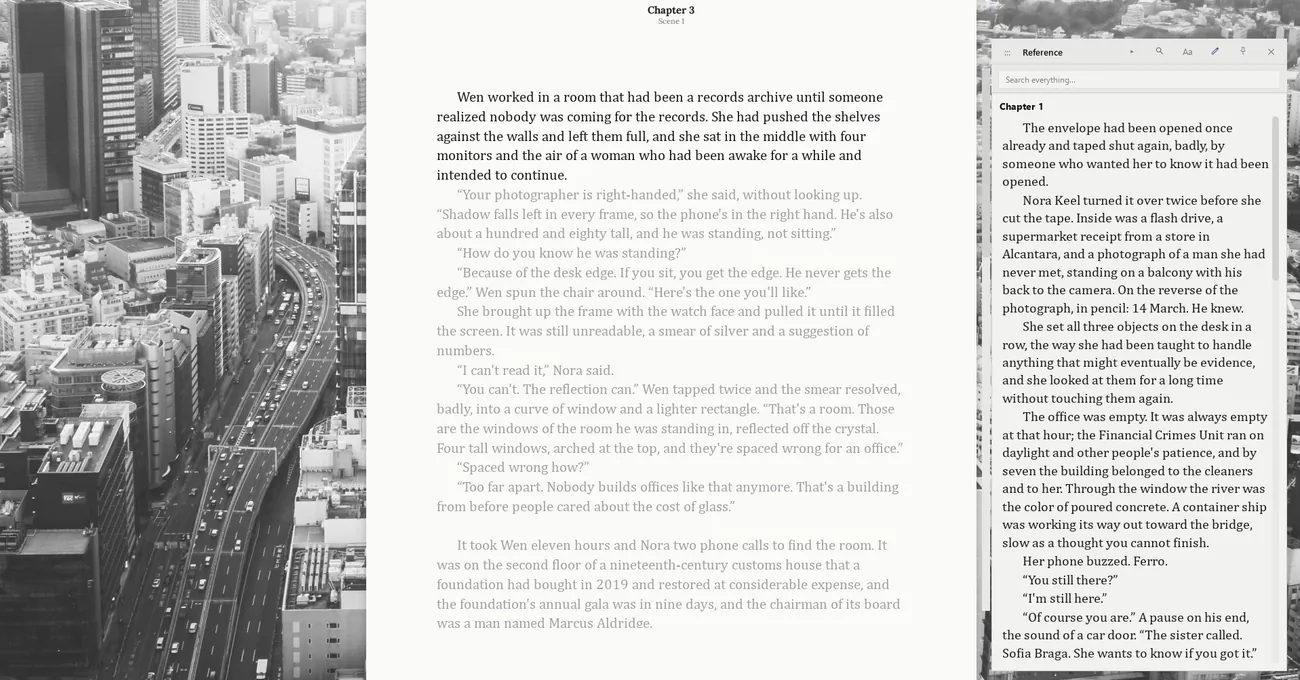
Chapter 3 open in the editor with Chapter 1 displayed alongside it in the Reference panel
II  The whole manuscript at onceQenna Writer

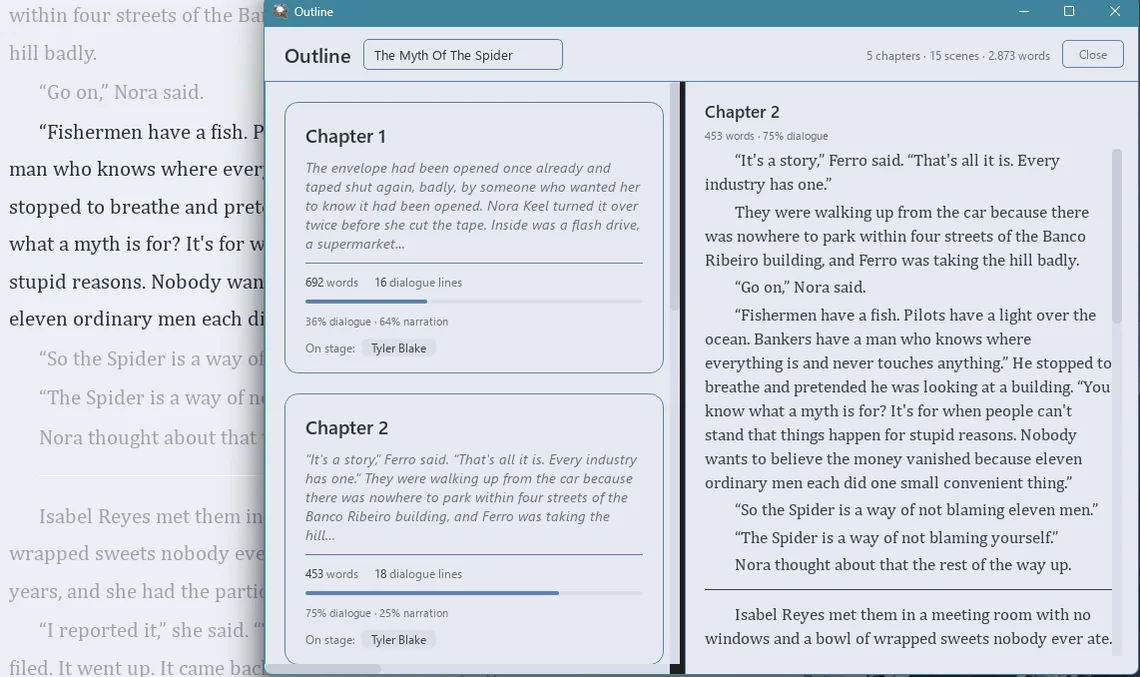
Every chapter becomes a card, with the numbers inside it

Outline Mode opens the manuscript as bands of cards: how each chapter starts, its word count, how many lines of dialogue, the split between dialogue and narration, and who's on stage. None of that is a field you fill in — it's read from what you already wrote.

Outline Mode showing chapter cards with word counts, dialogue lines and the split between dialogue and narration

Up top: 5 chapters · 15 scenes · 2,873 words — added up on their own.

III  Who's on stageQenna Writer

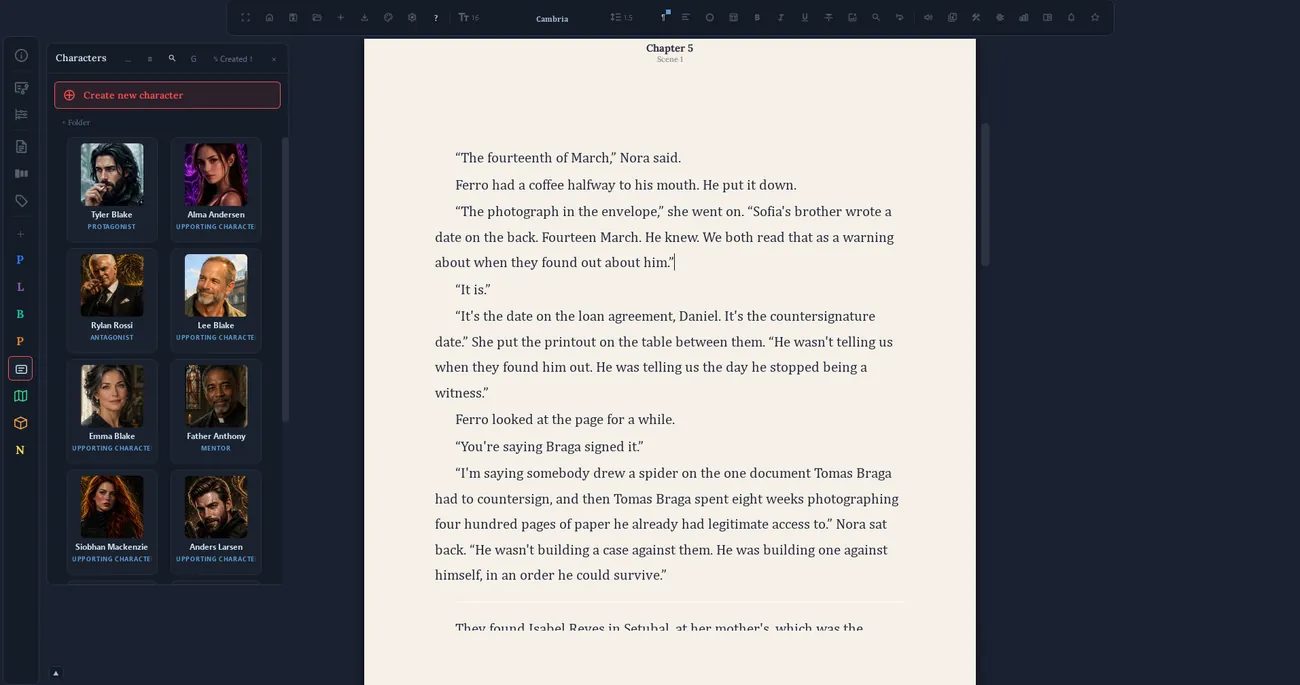
Know who showed up, where, and who said what

The Characters drawer holds a sheet, a photo and a role for each one. Qenna cross-checks that against the text and counts on its own: how many scenes a character appears in, how many lines they have, who they share the page with most.

The Characters drawer open beside the editor, with illustrated sheets and each character's role
The PensariumQenna Writer

What you notice along the way stays noted

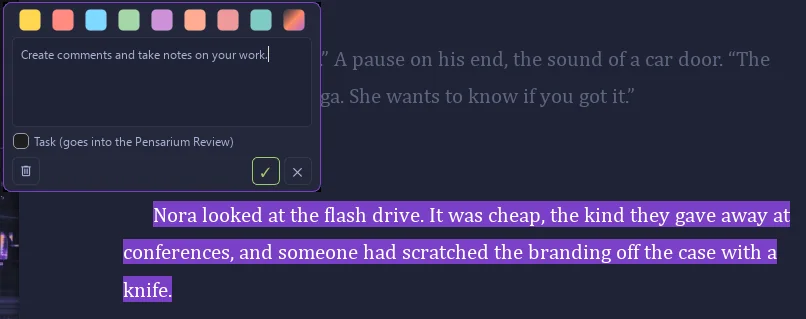
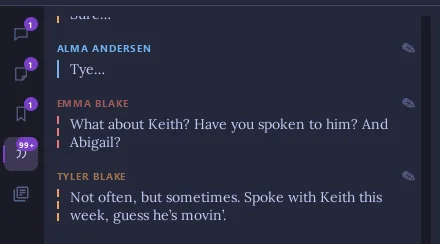
The Pensarium is a floating panel that opens with F4. Highlight a passage and leave a comment on it, save a passage as a memory to check later, jot down loose notes — and find the book’s dialogue already sorted by who said it.

A highlighted passage with the comment box open: colour choices, the note, and a checkbox that turns it into a task
The comment sits on the passage itself. Tick Task and it goes into the Pensarium Review.
The Pensarium dialogue tab, each line under the name of the character who said it
Dialogue, each line under whoever said it — detected on its own.
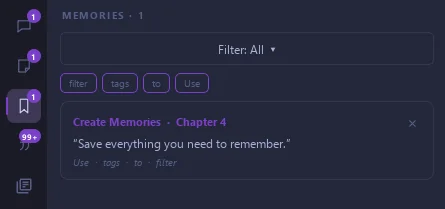
The Memories tab of the Pensarium, with a saved passage and the chapter it came from
Memories: passages set aside for later, with the chapter they came from.
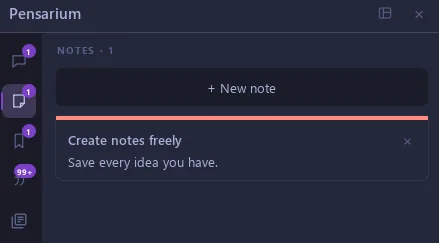
The Notes tab of the Pensarium, with a new-note button and a note
Notes: loose ideas, tied to no passage.
IV  Before the first sentenceQenna Writer

A place for the parts that aren't prose yet

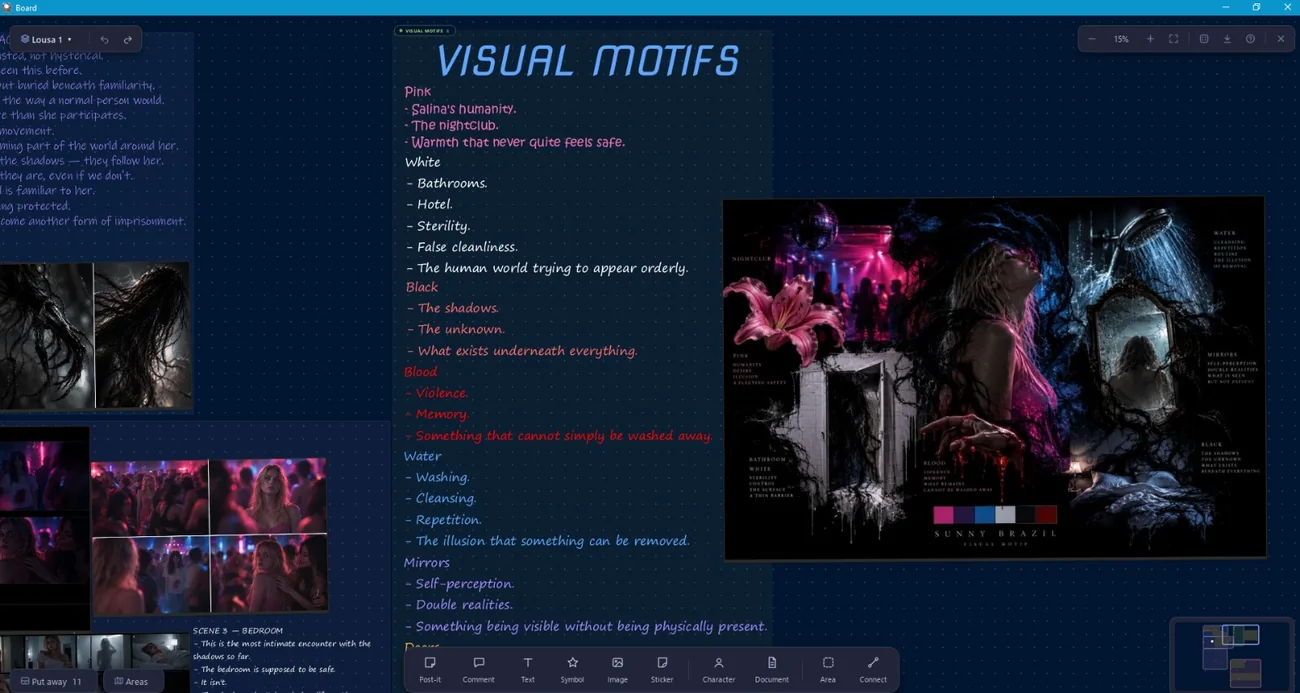
The Planning Board is a blank canvas: post-its, sheets, images and linked documents connected however the plot actually connects — not a mind-map with fixed nodes. Any card becomes a timeline event later.

The Planning Board with a card of visual motifs in coloured handwriting, a moodboard poster and film stills grouped by scene
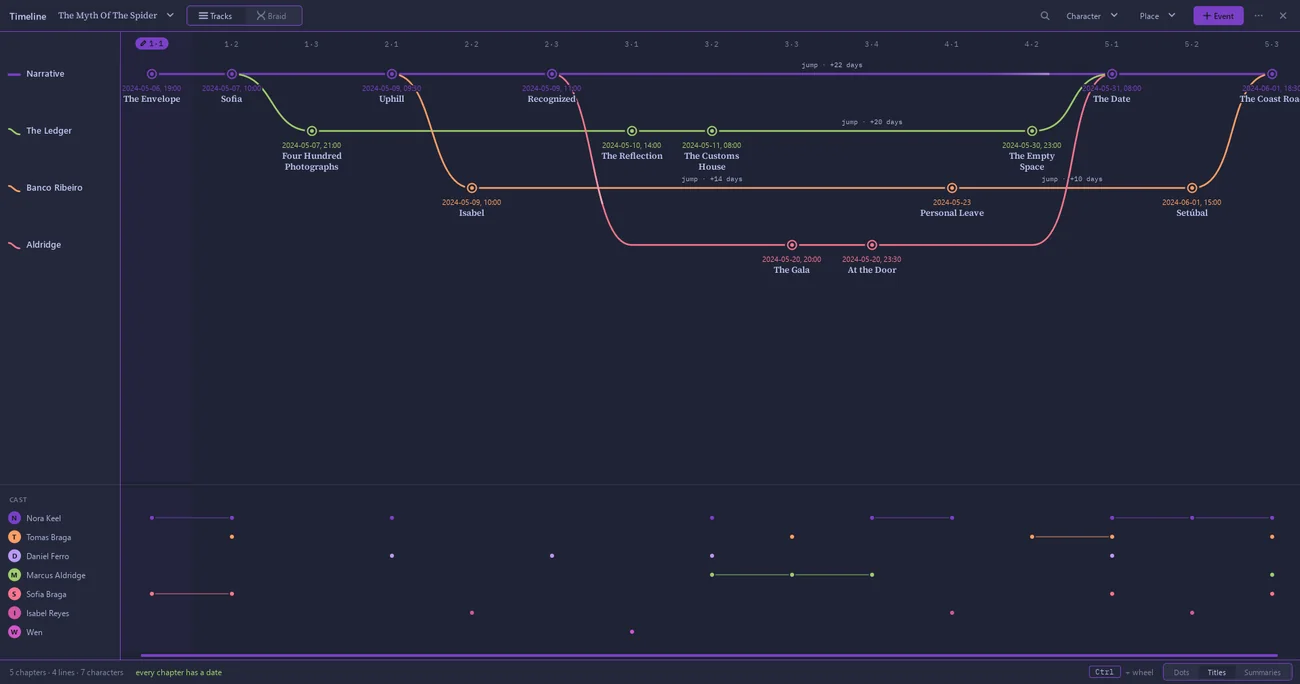
The Qenna Writer Timeline in Tracks view: the main narrative and three branching lines, each scene placed on its date, and the cast below showing who appears where
The timeline builds itself from the date and summary already sitting in the chapter. When the story genuinely forks, a branch appears without being asked.
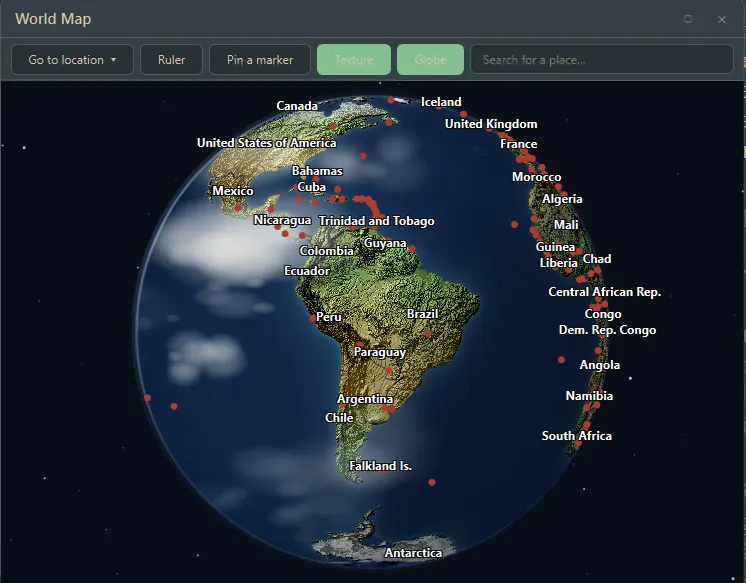
The World Map with real countries, pins marking story locations and a distance ruler
The World Map keeps geography honest: real countries, a real distance ruler, and pins that stay where you put them.
V  Make it yoursQenna Writer

382 themes, or one built from scratch

The page colour and the panel colour are independent — you can have a dark interface wrapped around a white page, or the other way around. You can set a day theme and a night theme and let Qenna switch on a schedule.

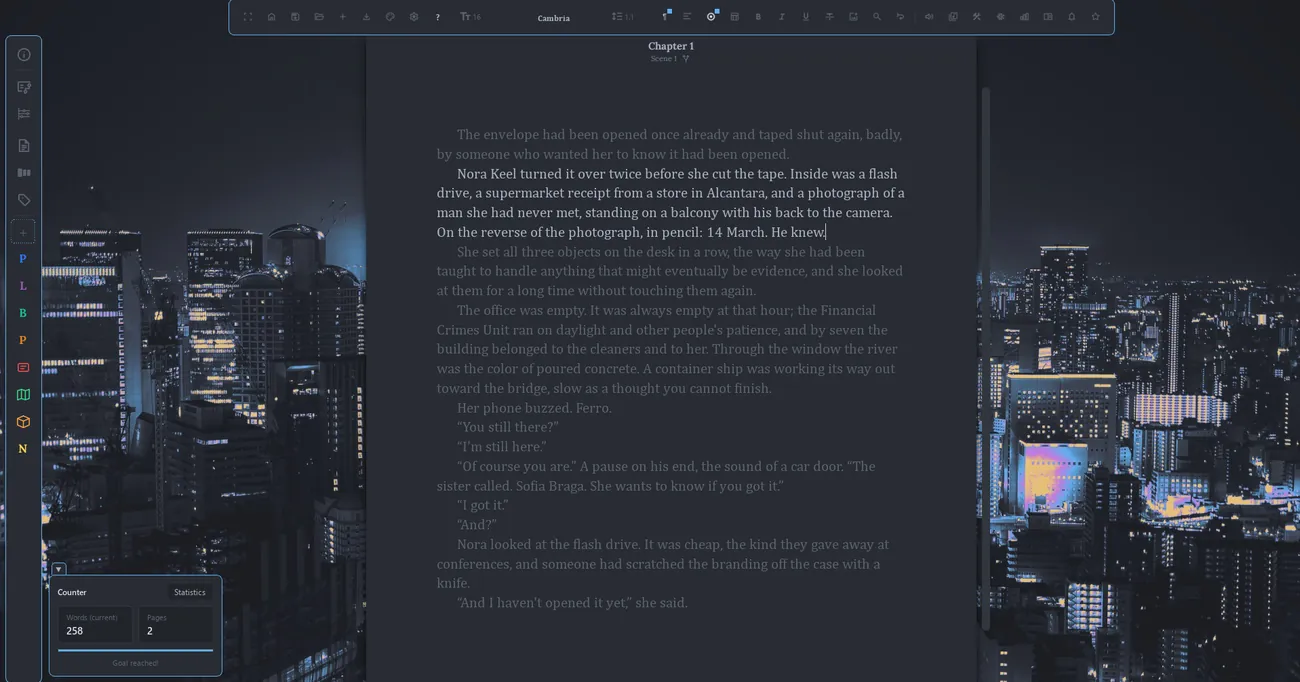
The editor over a night-city theme, with a dark page
One Dark Skyline.
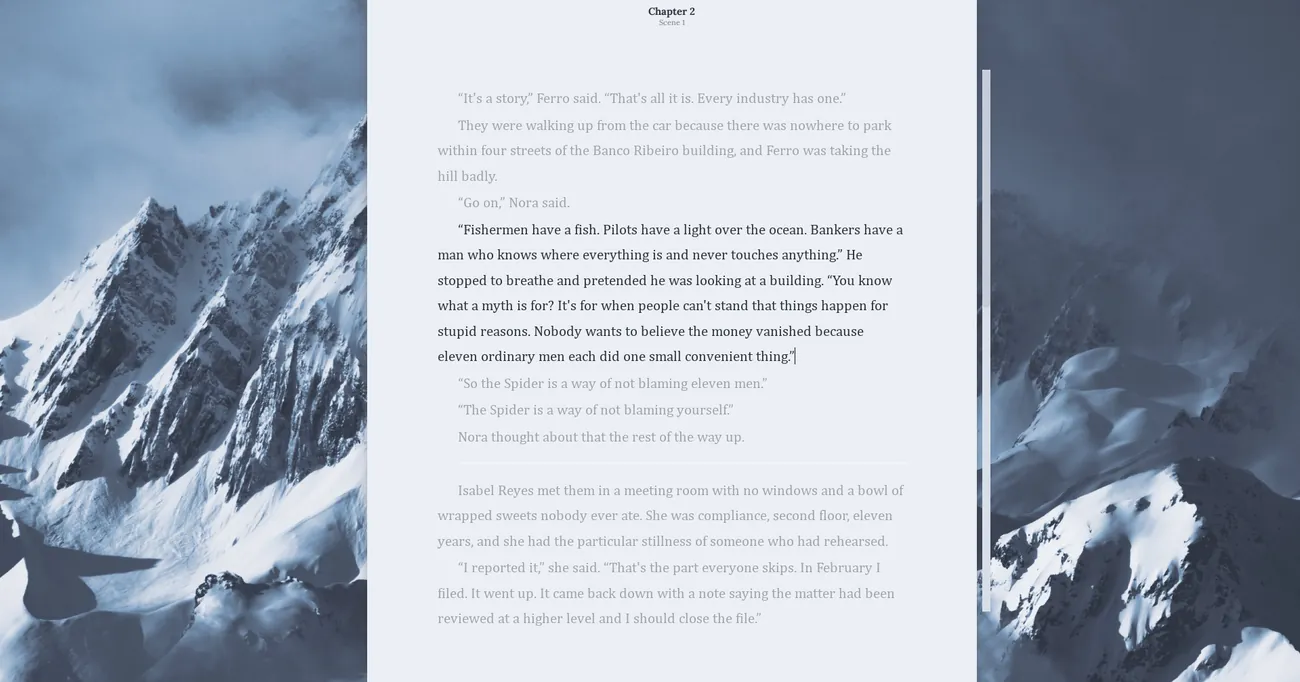
The editor in Focus Mode over a snowy mountain theme, with no bars in sight
Focus Mode: everything goes, the page stays.
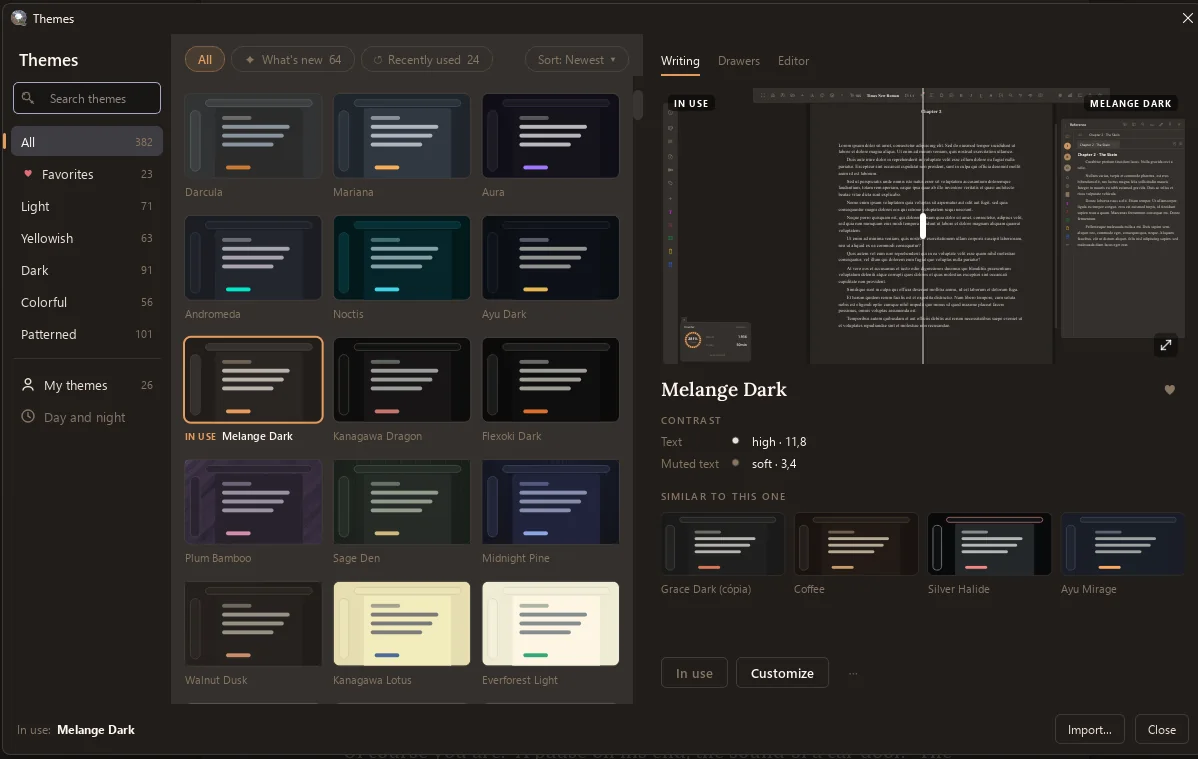
The Qenna Writer theme gallery: search, categories for light, yellowish, dark, colourful and patterned, and a preview of the chosen theme with its text contrast and similar themes
Search by name and filters — search went in because scrolling stopped being reasonable somewhere around theme 80.
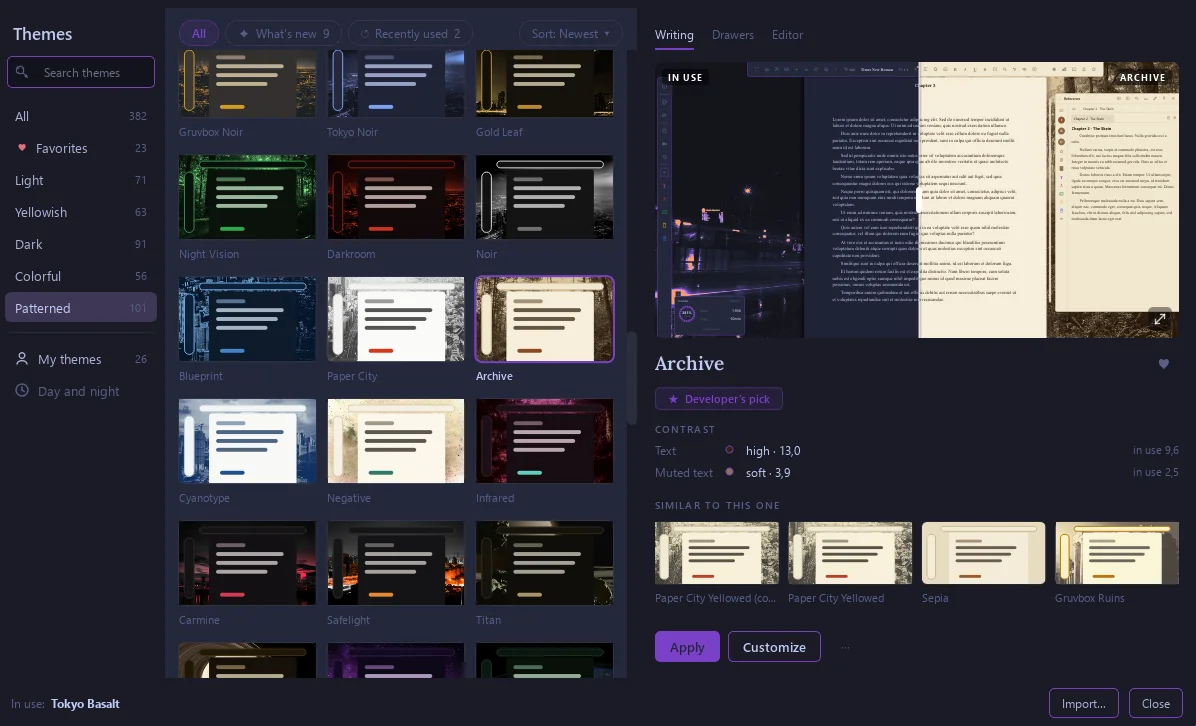
The Patterned filter of the theme gallery, showing themes with photographic backgrounds such as Tokyo Noir, Gold Leaf, Night Vision, Blueprint and Archive
The Patterned filter: the themes with photographic backgrounds, which is what gives Qenna the look it has.
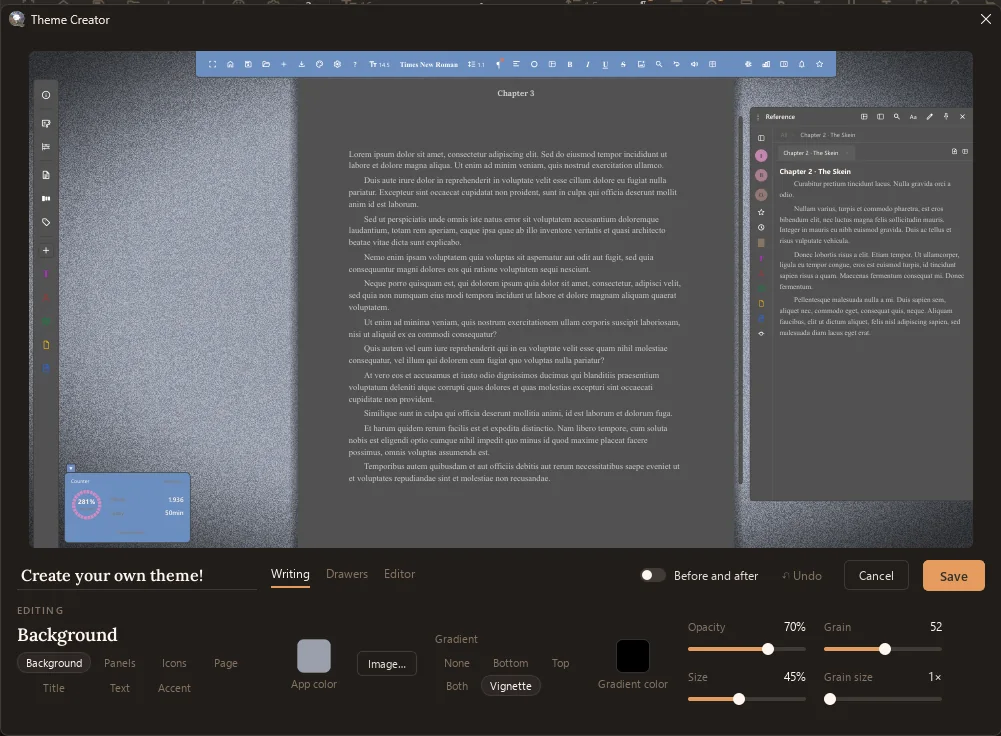
The Theme Creator: a preview of the whole app on top, and below it the background controls: app colour, image, gradient, vignette, opacity and grain
The Theme Creator: background image, gradient, vignette and grain, with a before-and-after switch.
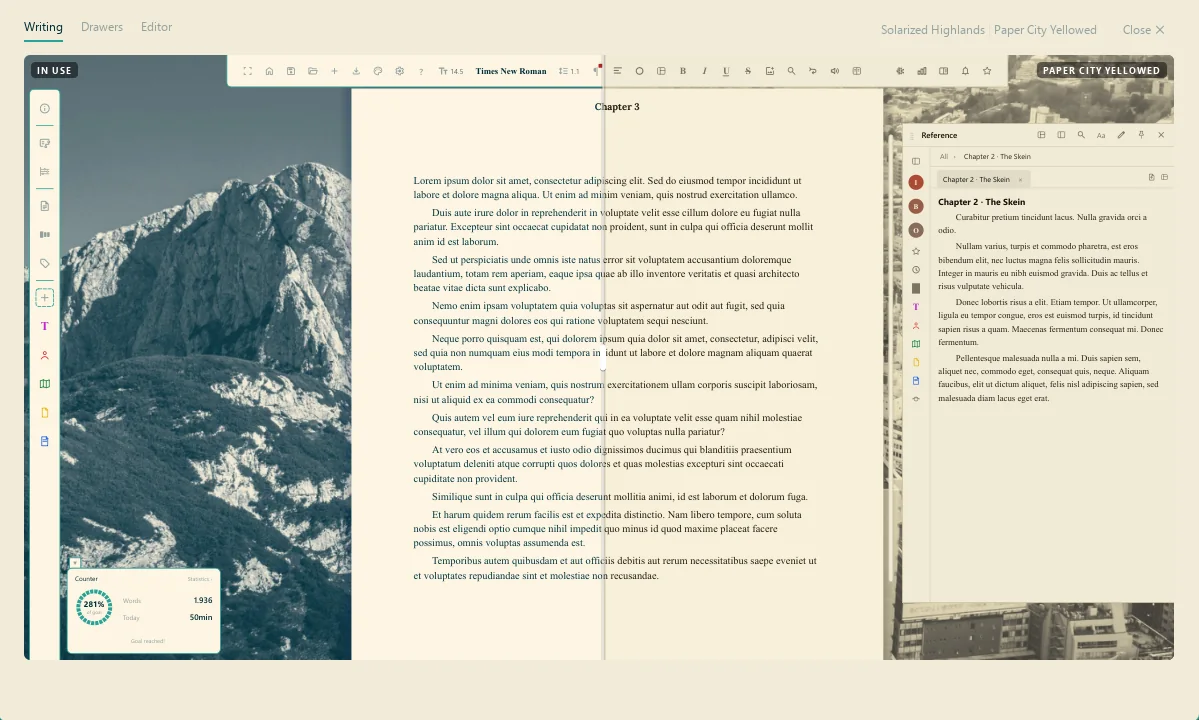
Two themes compared side by side: the theme in use on the left, Paper City Yellowed on the right
Before switching, the preview splits the screen: the theme in use on one side, the one you’re eyeing on the other.
  • Search and favourites in the gallery — the heart marks the ones you keep coming back to.
  • Export and import a theme: a theme becomes a file and travels to another machine, or to another person.
  • Automatic switching by time of day between a day theme and a night theme.
  • Theme editor to duplicate a finished one and tinker, or build from nothing.
  • Ambient sound built in, no browser tab full of rain.
  • Movable bars — the toolbar goes wherever you'd rather have it.
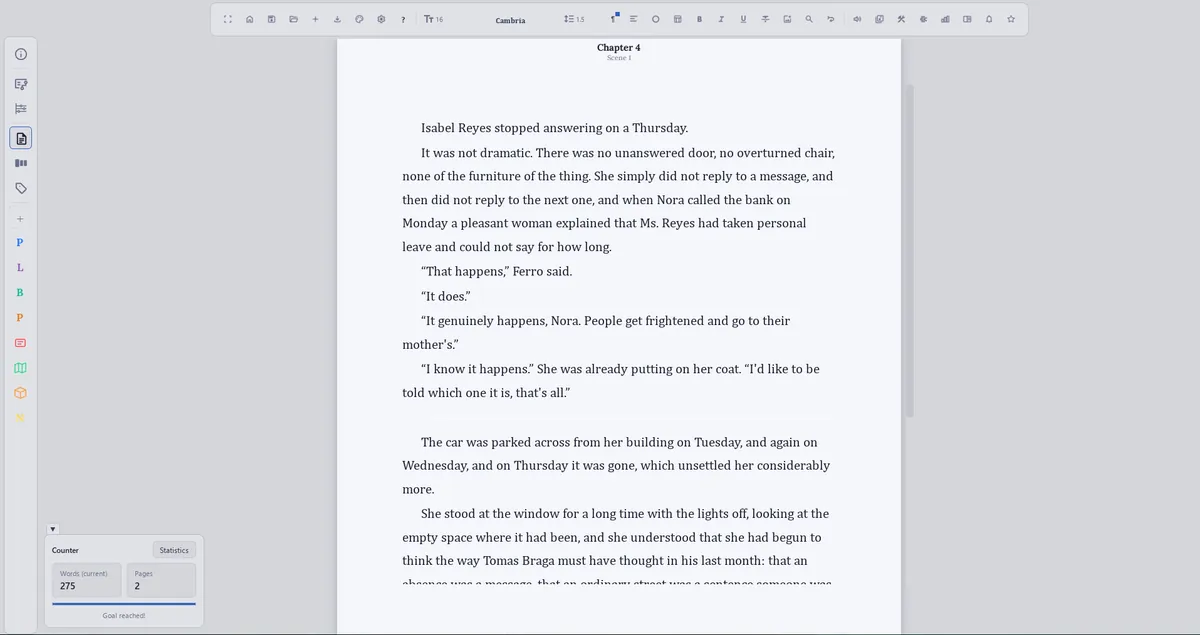
The editor over a light theme, with a white page and a light interface
And light, if that's you.
StatisticsQenna Writer

The project's numbers, counted on their own

The Statistics panel asks you to fill in nothing. It reads the manuscript and hands back each character's participation, the size of every chapter and a summary of the whole project — all of it from the text that's already there. It answers the question no ordinary editor answers: where is this book out of balance?

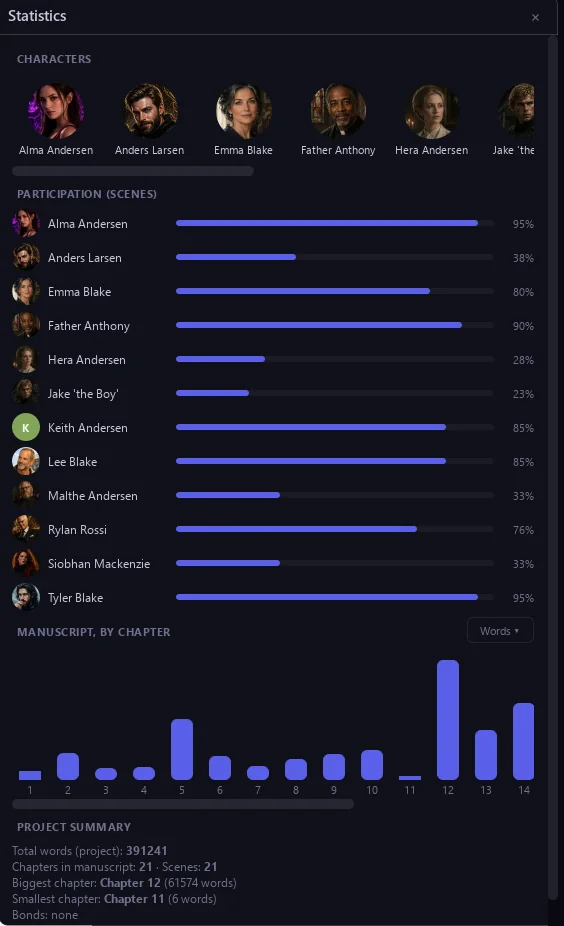
The project Statistics panel, with participation per character as percentages, a words-per-chapter chart and a project summary
Participation per character as a share of scenes, words per chapter as bars, and the summary: 391,241 words in the project, 21 chapters, biggest and smallest chapter named.
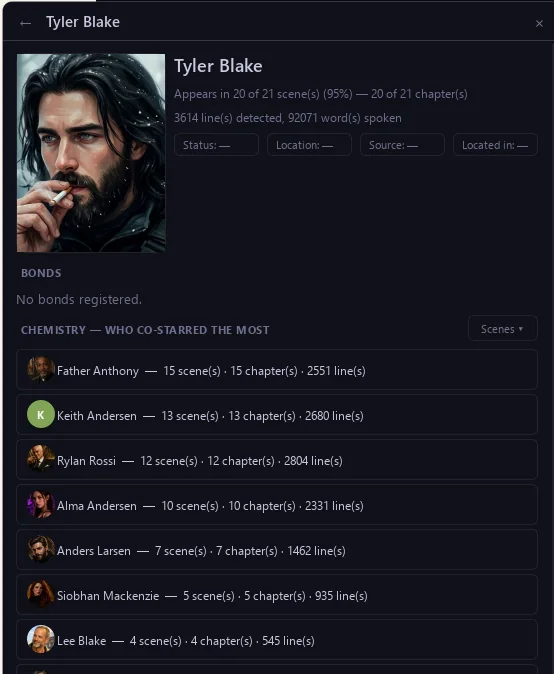
A character's statistics sheet, with presence across scenes and chapters, detected lines, words spoken and who they co-starred with most
One character's sheet: appears in 20 of 21 scenes (95%), 3,614 lines detected, 92,071 words spoken — and who they share the page with most, in scenes, chapters and lines.
IndexQenna Writer

Everything else, one line each

World Builder
Territories as a tree — continent, kingdom, city — each with its own lore, and magic systems that only apply where you decide
Export
DOCX, ODT, PDF and EPUB — whole project, one manuscript, or a single chapter
Submission format
Standard Shunn manuscript, ready to send
Goals and habit
Word or time goals, streaks, Pomodoro and a calendar
Statistics
Total words, total time, longest streak
Read aloud
The text read out loud, by paragraph or by selection
Spelling and synonyms
Dictionary and thesaurus, in the app's language
Cover Creator
A separate tool, bundled, for building a cover from royalty-free art
Backup
The whole project in a zip, in one click
Trash
Nothing is deleted for good
Five languages
Portuguese, English, Spanish, Italian and French
Source & licenseQenna Writer

License

The Qenna Writer License, based on GPLv3. Anyone can read, change and redistribute this code for free — nobody can turn it into a closed, or a paid, product.

One person builds and maintains this in spare time. Bugs get filed on GitHub Issues and are usually fixed in days, not quarters. There's no support queue to wait in.

Contact

To report bugs, suggest features, or just scream about your plot at 3:00 AM: qennawriter@gmail.com. It can take me a few hours or a few days to answer, but I will.

Links

Qenna is built in C++ and Qt, to put speed and performance first. You can read the source code here:

"You shouldn't have to pay to write good stories, or pay for the tools that help you write them. The only payment Qenna Writer asks for is: write good stories."

— P.H. Lobato, creator of Qenna Writer

Download for Windows

v0.17.2 · Windows 10/11 · ~167 MB